
Home Office Desk Assembly Guide for Remote Work and Small Spaces
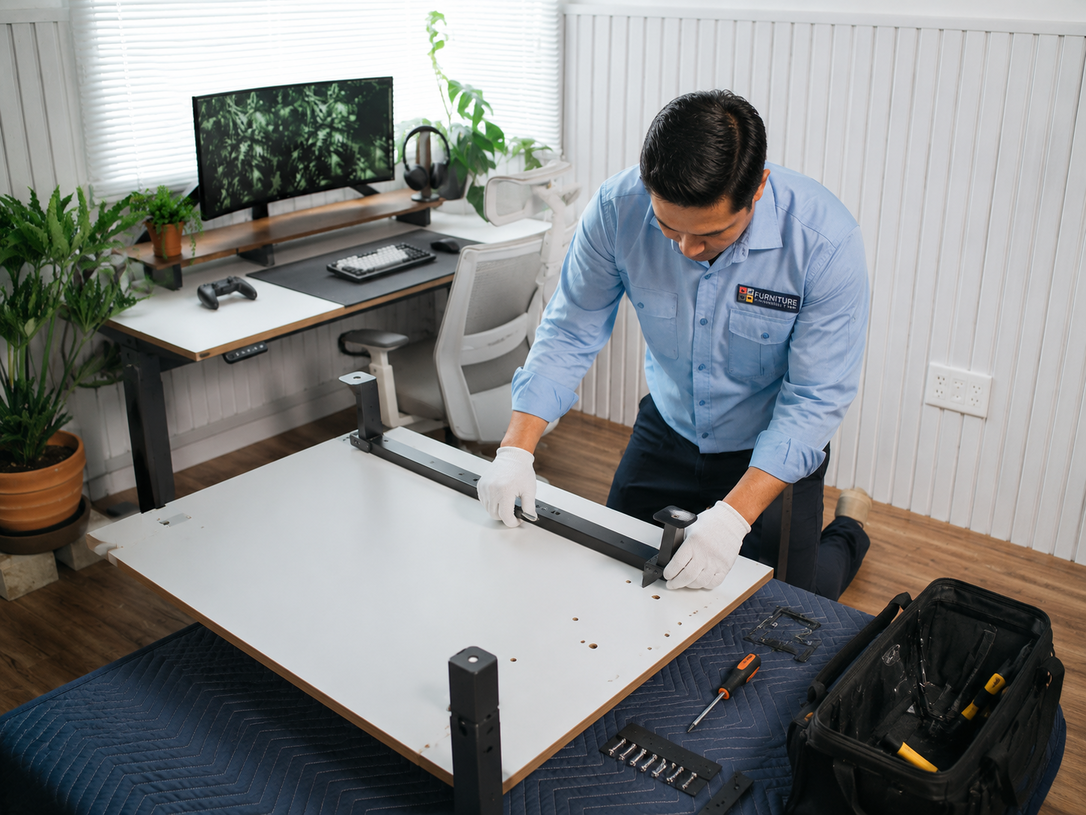
A properly assembled home office desk does more than hold a laptop. It supports posture, keeps cables tidy, uses small square footage efficiently, and stays steady through long workdays. When a desk is built correctly, it prevents wobbling, sagging shelves, awkward monitor heights, tangled cords, and the cramped feeling that ruins focus in apartments, condos, and shared rooms.
- Cleaner workspace organization with fewer distractions
- Stronger desk stability for daily typing and writing
- Better ergonomic comfort across long remote shifts
- Smarter storage use in tight rooms and corners
- Higher productivity for remote work and study
Professional Home Office Desk Assembly for Small Workspaces
A home office desk looks easy on the box, but reality is different. Studio apartments have uneven floors, condos have tight corners, and bedrooms rarely offer extra room to spread out parts. Add weak hardware, missing screws, and confusing instructions, and a quick build turns into a full weekend project. An unstable desk, tangled cables, and an awkward chair angle quietly drain focus every single day.
That is where a trained home office desk assembly crew helps. Furniture Assembly Team builds, levels, and positions desks so remote workers, students, and freelancers can sit down and actually work.
Choosing the Right Desk Layout for Small Home Office Spaces
The right desk layout depends on room shape, natural light, outlet location, and how many hours you sit each day. In small rooms, L-shaped, corner, and wall-mounted desks tend to win because they free up floor space and create a defined work zone without crowding the rest of the room.
- L-shaped desks suit corner setups in bedrooms and condos
- Wall-mounted desks open floor space in studios
- Compact rectangular desks fit narrow apartment walls
- Standing or sit-stand desks support hybrid work routines
- Ladder desks combine shelving with a slim footprint
Before buying, measure the door swing, window height, and outlet spacing. Shoppers comparing home office desk options should also check weight limits if dual monitors or a printer will sit on top.
Common Desk Assembly Mistakes That Affect Stability and Comfort
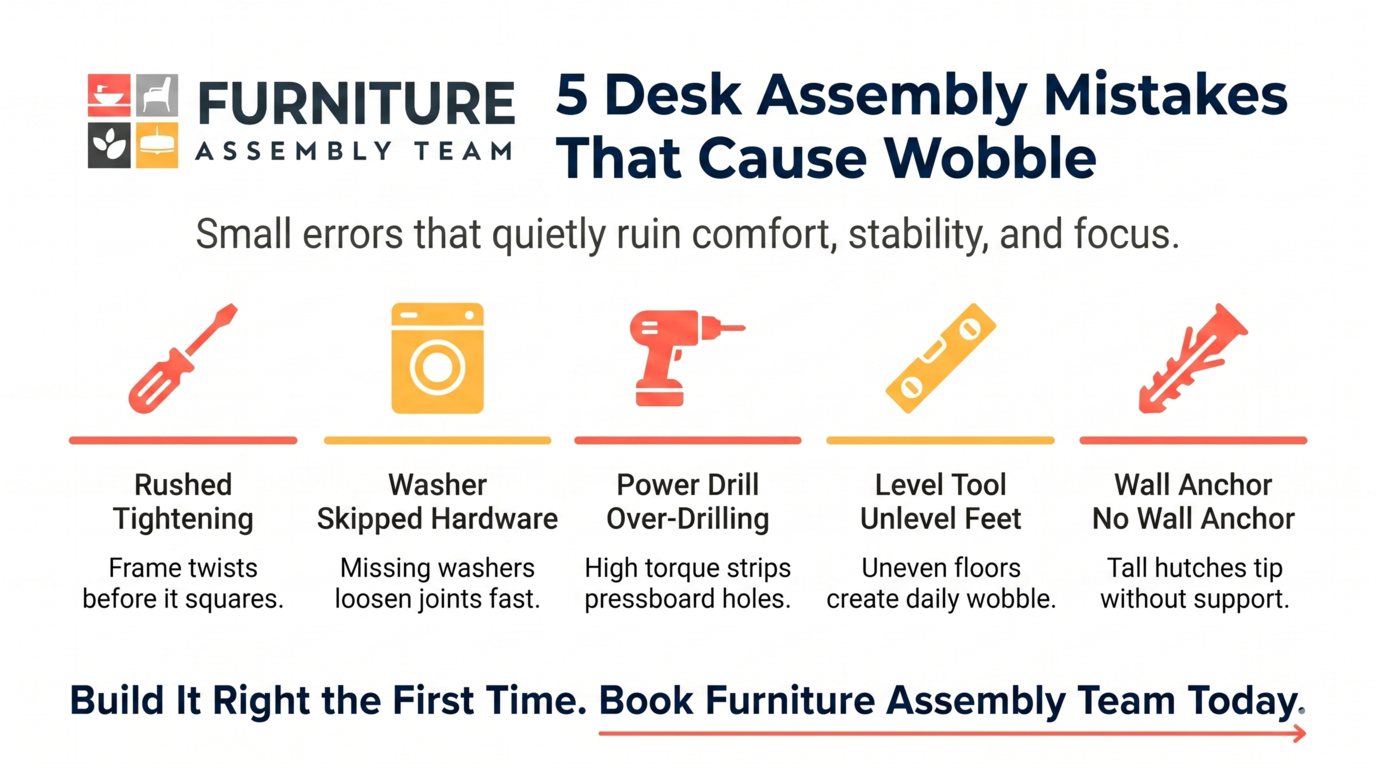
Most wobbly desks come from rushed assembly, not bad furniture. Skipping the leveling step, mixing up screw sizes, or tightening hardware out of order causes panels to twist. Over time, that twist becomes a wobble, and the wobble becomes a daily annoyance during video calls.
- Tightening screws fully before the frame is squared
- Skipping washers or cam locks during panel joins
- Using power drills on pressboard at high torque
- Ignoring leveling feet on uneven apartment floors
- Forgetting to anchor tall hutches to the wall
Reviewing a few common office assembly benefits makes the case for slowing down or hiring a pro, especially with heavier executive desks.
Best Desk Styles for Remote Work and Daily Productivity
The best desk style matches the work, not just the room. Writers and coders need wide surfaces, designers need depth, and customer support agents need cable-friendly setups for headsets and dual screens. Matching style to workload prevents constant rearranging later.
| Desk Style | Best For | Small-Space Fit |
|---|---|---|
| L-shaped | Dual monitors, multitaskers | Good in corners |
| Sit-stand | Hybrid and long shifts | Medium |
| Wall-mounted floating | Studios, bedrooms | Excellent |
| Writing desk | Laptop-only work | Excellent |
| Executive desk | Home offices with space | Limited |
For budget-friendly inspiration, browsing compact desk ideas helps narrow the shortlist before assembly day.
Managing Cables and Accessories Without Creating Clutter
Good desk cable management keeps cords off the floor, away from feet, and out of sight during video calls. A clean cable layout also reduces dust buildup, lowers fire risk near power strips, and makes it easier to move electronics safely later when the room changes.
Plan Cable Routes Before Mounting Anything
Map where the monitor, laptop, lamp, and charger will live. Run power along one side and data along the other to reduce interference. Use adhesive clips, under-desk trays, and Velcro ties instead of zip ties, which are hard to adjust.
Hide Power Strips and Label Plugs
Mount the power strip under the desktop, not on the floor. Label each plug at both ends. When it is time to move electronics safely during a move or rearrange, labeled cords save an hour of guesswork.
Ways to Maximize Storage in Compact Home Office Setups
In compact rooms, storage must climb the walls. Vertical shelving, hutch add-ons, under-desk drawers, and pegboards turn unused air into working space. The goal is to keep the desktop clear so the brain has room to think.
- Floating shelves above the monitor for books and binders
- Slim rolling drawer units that tuck under the desk
- Pegboards for headphones, cables, and small tools
- Monitor risers with built-in storage trays
- Door-mounted organizers for supplies in bedroom offices
For renters who lease furnished units, exploring IKEA office setup options gives flexible, modular storage that travels well between apartments.
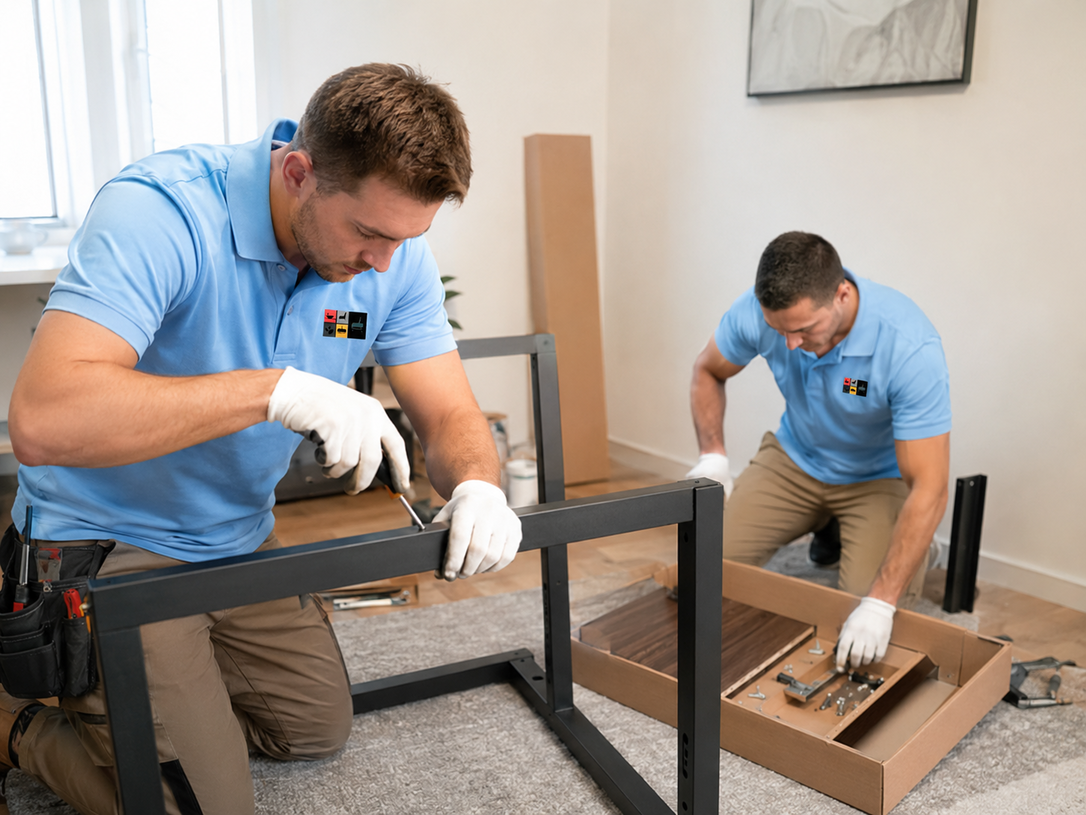
What to Check Before Positioning a Desk Near Walls and Windows
Before sliding a desk against a wall or window, check glare, outlet reach, vent placement, and baseboard depth. A desk pushed too close to a heating vent warps over time, and a desk facing a bright window creates screen glare that strains the eyes.
- Confirm at least two outlets within six feet
- Avoid blocking radiators, vents, or return air grilles
- Leave clearance for blinds, curtains, and window cranks
- Check baseboards so the desk sits flush, not tilted
- Position screens perpendicular to windows to cut glare
Home office desk assembly is the process of building, leveling, securing, and placing a desk so it supports daily work, fits the room, holds equipment safely, and keeps the workspace comfortable for long hours.
Furniture Placement Tips for Better Workflow and Comfort
Smart placement turns a bedroom corner into a real office. The chair should roll freely, the monitor should sit an arm's length away, and the door should open without hitting anything. Comfort and flow matter as much as the desk itself.
- Keep 36 inches of clearance behind the chair
- Place the printer within reach but off the desktop
- Angle the desk so natural light hits from the side
- Keep the phone and notepad on the dominant-hand side
- Use a rug to define the office zone in studio apartments
Crews that move office furniture also help reposition heavier desks without scuffing floors or denting walls.
When Professional Desk Assembly Helps Avoid Setup Problems
Professional desk assembly pays off when the desk is heavy, the room is tight, or the hardware is complex. Glass tops, motorized standing desks, and modular L-shapes have steps that are easy to misread, and one wrong panel direction can mean starting over.
- Glass and metal desks with fragile fittings
- Motorized sit-stand desks with wiring and sensors
- L-shaped or U-shaped builds with many panels
- Wall-anchored hutches in apartments and condos
- Tight delivery windows for hybrid work setups
Following recognized furniture compliance standards also matters when desks include electrical components or anchoring requirements.

How Organized Home Office Setups Improve Daily Productivity
An organized desk lowers decision fatigue. When the stapler, charger, and notebook always live in the same spot, the brain stops searching and starts working. Studies on remote work consistently link tidy, ergonomic setups to faster task completion and fewer breaks for frustration.
A well-built home office furniture setup also reduces neck strain, supports better posture, and keeps cables from snagging chair wheels. For freelancers juggling client calls and deep work, that small daily reset adds up to real hours each month.
Households that later downsize or relocate can rely on office furniture disassembly to break the setup down safely without damaging the panels.
Get Professional Help for Home Office Desk Assembly
A steady desk, tidy cables, and a room that actually fits your workflow should not take a full weekend to build. Furniture Assembly Team handles home office furniture builds, leveling, anchoring, and small-space layout in one visit. The same attention to detail seen in professional goal installation projects goes into every desk we assemble.
Browse our furniture assembly services or contact Furniture Assembly to book a stable, organized, comfortable workspace setup today.
Frequently Asked Questions
How do you assemble a home office desk?
Start by sorting hardware, reading the full instructions, and building the frame upside down on a soft surface. Tighten screws gradually, level the feet, then flip the desk upright before adding accessories.
What desk works best for small home offices?
L-shaped corner desks and wall-mounted floating desks usually work best in small rooms. They open floor space, fit tight corners, and still leave room for a monitor, laptop, and a few storage trays.
How do you organize cables under a desk?
Run power along one side and data cables along the other, then secure them with adhesive clips or Velcro straps. Mount the power strip under the desktop so cords stay off the floor.
Where should a desk go in a small room?
Place the desk perpendicular to the window to reduce glare and near at least two outlets. Avoid blocking vents, radiators, or door swings, and leave clearance for the chair to roll back.
Should professionals assemble office desks?
Yes, especially for heavy, motorized, or multi-panel desks. Professionals reduce setup time, prevent stripped hardware, and make sure the desk is level, anchored, and ready for daily use.
How can you improve comfort while working from home?
Match the chair height to the desk, keep the monitor at eye level, and position the keyboard so elbows rest at ninety degrees. Add a footrest if your feet do not sit flat on the floor.
What mistakes make desks unstable?
Common causes include uneven leveling feet, loose cam locks, mismatched screws, and skipped washers. Overtightening pressboard panels with a power drill also strips the holes and weakens the frame.